Keyword search is what you reach for when you don't know the company, state or exact filing type, only a term you expect to find inside the filing itself. It is the most flexible way to search SERFF filings, and also the noisiest, since a single word can appear for reasons that have nothing to do with what you're actually looking for.
Used well, keyword search is a way to find a starting point fast. Used carelessly, it buries the filing you want in dozens of irrelevant ones.
serff.ai is built to do that for you: it indexes millions of SERFF filings and lets you ask questions in plain English instead of opening documents one by one. You can connect it to the AI assistant you already use: Claude or ChatGPT, via the serff.ai MCP server, or work directly in the web platform.
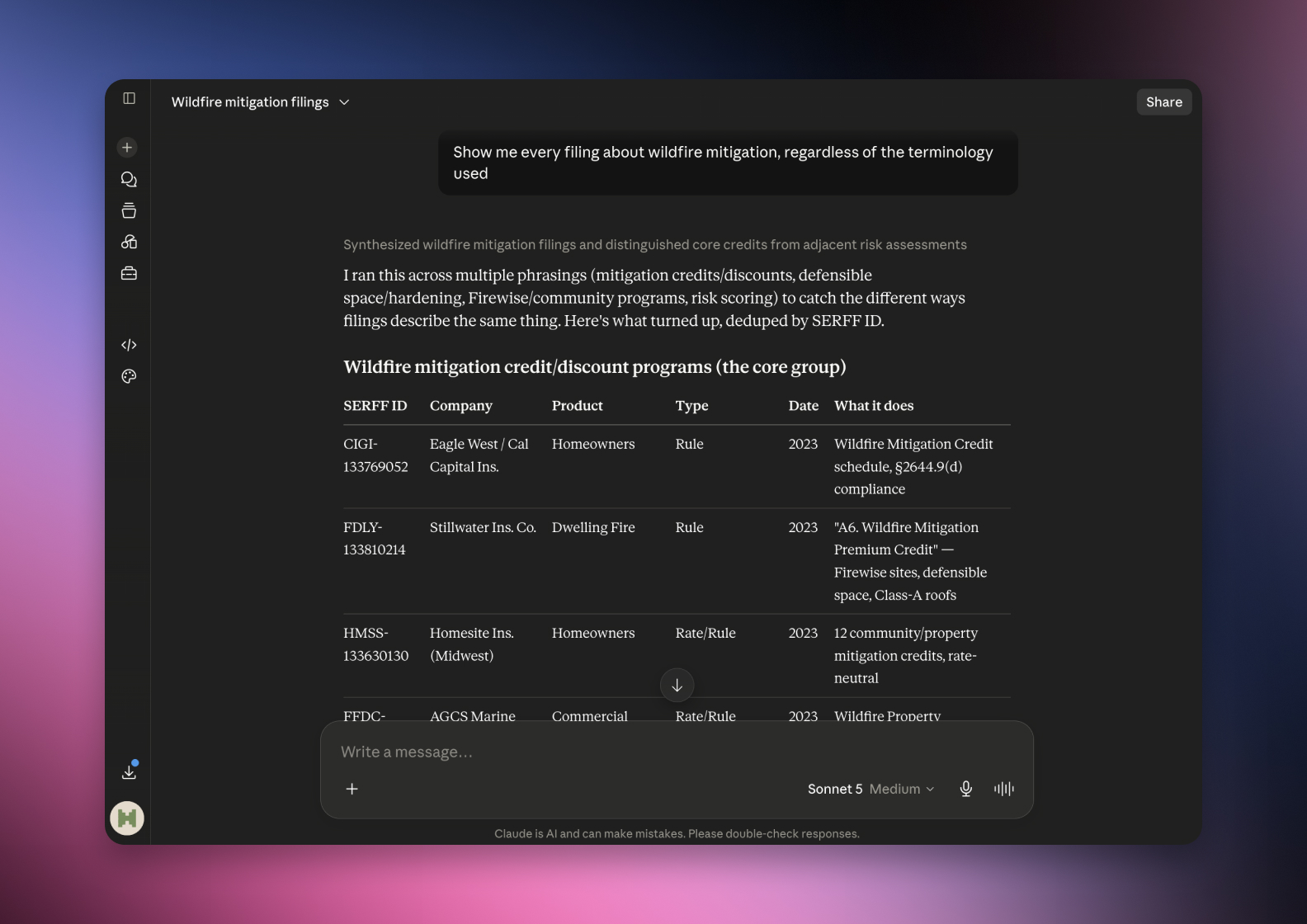

Connected via MCP to the AI you already use, Claude or ChatGPT, or through our dedicated platform, serff.ai makes searching and analysing SERFF filings effortless. A keyword search becomes a single question: describe the topic in plain English, and get filings that are actually about it, cited back to the exact passage, in seconds.
The manual way
Read hundreds of filings to work out the terminology insurers actually use.
With serff.ai, just ask
“Find every filing about lithium ion battery risks.”
The manual way
Keep trying different keywords until you stop finding new results.
With serff.ai, just ask
“Find every filing related to usage based insurance”
The manual way
Manually filter dozens of results to find the relevant filings.
With serff.ai, just ask
“Which filings discuss algorithmic pricing.”
The manual way
Worry you’ve missed filings because they use different wording.
With serff.ai, just ask
“Show me every filing about wildfire mitigation, regardless of the terminology used.”
Every answer is cited back to the exact page of the source PDF and grounded only in filed values, with no invented numbers, so you can trust it the way this audience needs to. Research that took weeks takes a prompt.
No credit card required. Simply sign up and connect to Claude or ChatGPT or use Swallow’s SERFF.ai platform.
Specific terms outperform general ones. A form number, a named endorsement, or a distinctive phrase from a policy form will narrow results far more than a broad concept like "rate increase," which appears in thousands of filings.
Keyword search typically matches exact text, not meaning. A filing that describes the same change in different words, or uses a synonym, can be missed entirely even though it is exactly what you're looking for. This is the single biggest limitation of keyword search on SERFF Filing Access.
Try two or three phrasings of the same idea before concluding nothing exists. If a filing describes a change as an 'endorsement' and your search used 'rider,' you may have missed it entirely.
When a keyword returns too much, add a state or filing type filter rather than switching to a different keyword. This keeps the search grounded in the term you know is right while cutting the volume down.
A keyword that matches boilerplate language, common definitions or standard clauses will return large volumes of unrelated filings. If a search feels noisy, the keyword is likely too generic, not the search tool.
Keyword search works best with specific terms like form numbers or named coverages, and worst with broad concepts searched alone. Because it typically matches exact wording, try a few phrasings before assuming a relevant filing doesn't exist.
Specific terms like form numbers or named endorsements work best; broad concepts like 'rate increase' return too much to be useful alone.
Keyword search typically matches exact text, so a filing using different wording or a synonym for the same concept can be missed entirely.
Keyword search is best when you don't know the company or state; structured filters like company and state narrow faster once you have some starting information.
Add a state or filing type filter to the same keyword rather than switching to a different, possibly less accurate keyword.
Yes, form numbers are typically consistent and are one of the most reliable keyword types for cross-state searches.





 ChatGPT
 Claude
.png)
.png)
.png)