
SERFF Filing Access puts millions of filings within reach, but the public search interface is basic, and searching efficiently is a skill in itself. The difference between a five-minute search and an hour of scrolling usually comes down to which fields you narrow first and how you combine them.
This is the general strategy: the fields that cut a result set down fastest, how to layer filters without over-narrowing, and the obstacles that make SERFF search harder than it looks.
serff.ai is built to do that for you: it indexes millions of SERFF filings and lets you ask questions in plain English instead of opening documents one by one. You can connect it to the AI assistant you already use: Claude or ChatGPT, via the serff.ai MCP server, or work directly in the web platform.
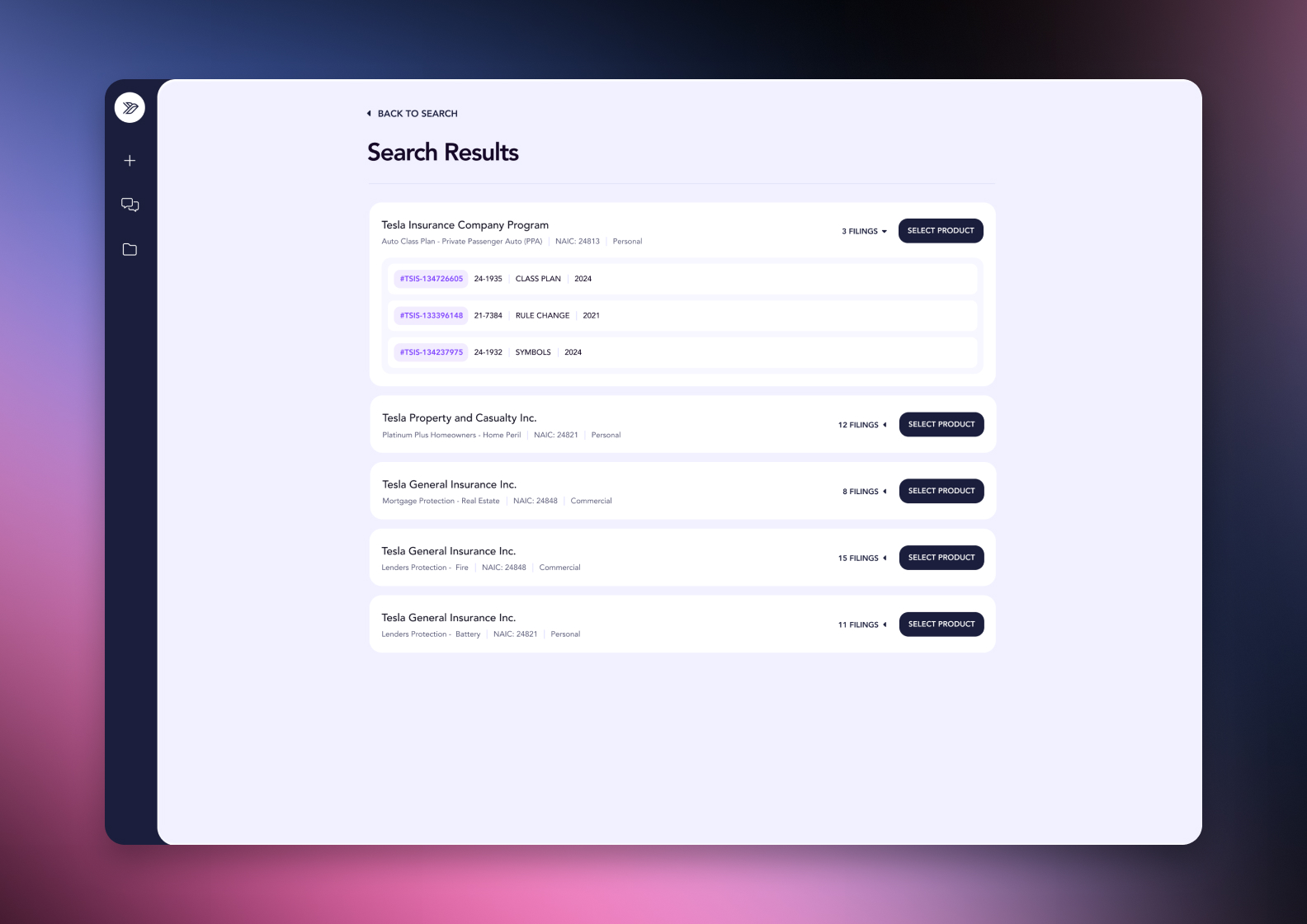

Connected via MCP to the AI you already use, Claude or ChatGPT, or through our dedicated platform, serff.ai makes searching and analysing SERFF filings effortless. A search becomes a single question: describe what you're looking for in plain English, across company, state, product and date, and get a grounded, cited answer in seconds.
The manual way
Guess which combination of fields will narrow results fastest.
With serff.ai, just ask
“Find filings from this company, in these states, filed this year.”
The manual way
Run separate searches per state because the portal doesn't span them.
With serff.ai, just ask
“Search across all states at once for this product.”
The manual way
Re-run a search with slightly different keywords hoping for a hit.
With serff.ai, just ask
“Find filings related to this topic, even if the wording differs.”
The manual way
Manually check each result to see if it's actually relevant.
With serff.ai, just ask
“Which of these results actually cover what I'm looking for?”
Every answer is cited back to the exact page of the source PDF and grounded only in filed values, with no invented numbers, so you can trust it the way this audience needs to. Research that took weeks takes a prompt.
No credit card required. Simply sign up and connect to Claude or ChatGPT or use Swallow’s SERFF.ai platform.
Company name and state cut a result set down more than almost anything else, because most searches start with too many filings and too little specificity. Add a date range next, and you'll usually be looking at a manageable list before you ever open a keyword field.
Adding filters helps until it doesn't. Combine two or three of the fields above, check the result count, and only add more if it's still too broad. Over-filtering can silently exclude a filing that does not match every criterion exactly, particularly when filing type combinations are involved.
Keyword search is powerful when you don't know the company or state, but it returns noisier results than a structured filter search. Use it to find a starting point, then narrow with company, state or date once you have a lead.
If you know roughly when a change happened, a narrow date range combined with just the state is often enough, even without knowing the exact company. It's a faster path than a broad keyword search.
SERFF Filing Access has real limits worth planning around. Not every state participates the same way, and terminology for the same concept can vary slightly by state. Some documents, particularly certain actuarial exhibits, are filed as confidential and will not surface no matter how you search.
A search returning zero results doesn't always mean nothing exists. It can mean the state indexes that data differently, or the filing is older than the portal's searchable window. Try a broader search before concluding a filing isn't there.
Efficient SERFF search starts narrow: company, state and date range before keyword. Layer two or three filters at a time, check the result count, and treat a zero-result search as a cue to broaden rather than a dead end.
Start with company and state, add a date range, and only reach for keyword search once you have a narrower starting point.
SERFF Filing Access does not offer a single unified cross-state search in the same interface; searching by state one at a time is typically required.
It can mean the filing genuinely doesn't exist, or that the state indexes that field differently, or that the filing predates the portal's searchable window.
Structured fields like company, state and date narrow faster; keyword search is best used as a fallback when you don't know those specifics.
Most are, but participation and detail vary by state, and some documents can be filed as confidential and withheld from public search.





 ChatGPT
 Claude
.png)
.png)
.png)
.png)